
This post contains affiliate links. As an Amazon Associate, I earn from qualifying purchases at no extra cost to you.
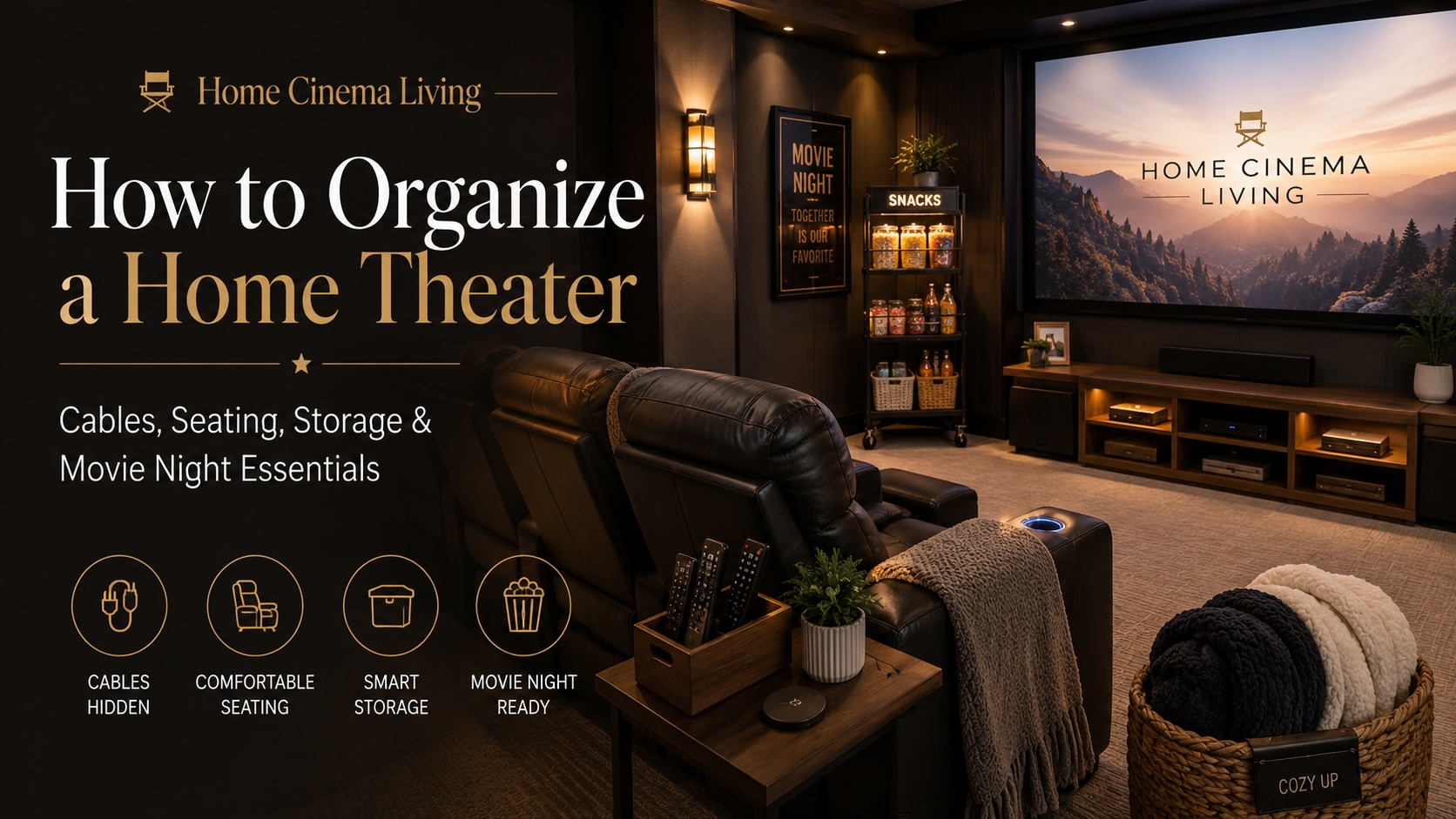
A well-organized home theater makes movie night feel smoother, cozier, and more enjoyable. Whether you have a dedicated cinema room, a basement theater, a media room, or a living room that doubles as your movie space, organization can completely change how the room feels.
The best home theaters are not just about a big screen or great sound. They are also about comfort, flow, convenience, and atmosphere. When cables are hidden, remotes have a home, blankets are easy to grab, and snacks are ready to go, the entire room feels more intentional.
This guide will walk you through organizing a home theater by focusing on the areas that matter most: cables, seating, storage, lighting, snacks, remotes, and movie-night essentials.
What Should You Organize First?
If your home theater feels cluttered or overwhelming, start with the areas you notice the most: visible cables, remotes, blankets, snacks, and small accessories. These are the things that can quickly make a media room feel messy, even if the rest of the space is clean.
You do not have to organize the entire room in one day. Start with the biggest eyesore first, then work through the room section by section. Once the cords, remotes, seating area, and movie-night supplies have a home, your theater will instantly feel cleaner and easier to enjoy.
Start With a Simple Home Theater Organization Plan
Before buying new baskets, bins, shelves, or accessories, take a quick look at how you actually use the room.
Ask yourself:
- Is this space mainly for movies?
- Do you also watch sports, stream shows, or play games?
- How many people usually use the room?
- Do you need storage for blankets, remotes, game controllers, or DVDs?
- Do you eat snacks and drinks in the theater area?
- Is this a dedicated theater room or a shared living space?
A dedicated cinema room may need hidden equipment storage, organized seating rows, and a more polished snack station. A family media room may need blanket baskets, easy-access remotes, kid-friendly storage, and flexible seating.
The goal is not to make the room perfect. The goal is to make it easier to enjoy.
Quick Home Theater Organization Checklist
Here is a simple way to organize your home theater by area:
| Area | What to Organize |
|---|---|
| Cables | Hide cords, group wires, and use cable ties |
| Equipment | Keep streaming devices, game consoles, and receivers in one media zone |
| Remotes | Store all remotes in one organizer or tray |
| Blankets and Pillows | Use a basket, ottoman, or storage bench |
| Snacks | Create one snack cart, cabinet shelf, or bin |
| Lighting | Use dimmable or smart lighting to reduce clutter from extra lamps |
| Walkways | Keep pathways clear around seating and furniture |
| Reset routine | Clean up after each movie night so the room stays organized |
Once those basics are handled, your home theater will already feel cleaner and more inviting.
Organize Home Theater Cables First
Cable clutter is one of the fastest ways to make a home theater feel unfinished. Even a beautiful setup can look messy if cords are hanging behind the TV, running across the floor, or tangled behind the entertainment center.
Start by identifying the cables you can see:
- TV power cords
- HDMI cables
- Speaker wires
- Soundbar cables
- Streaming device cords
- Gaming console cords
- Projector cables
- Charging cables
- Ethernet cables
- LED light strip cords
Once you know what you are working with, group cables by purpose. Keep video cables together, speaker and audio cables together, and power cords together.
Helpful Amazon searches for cable organization
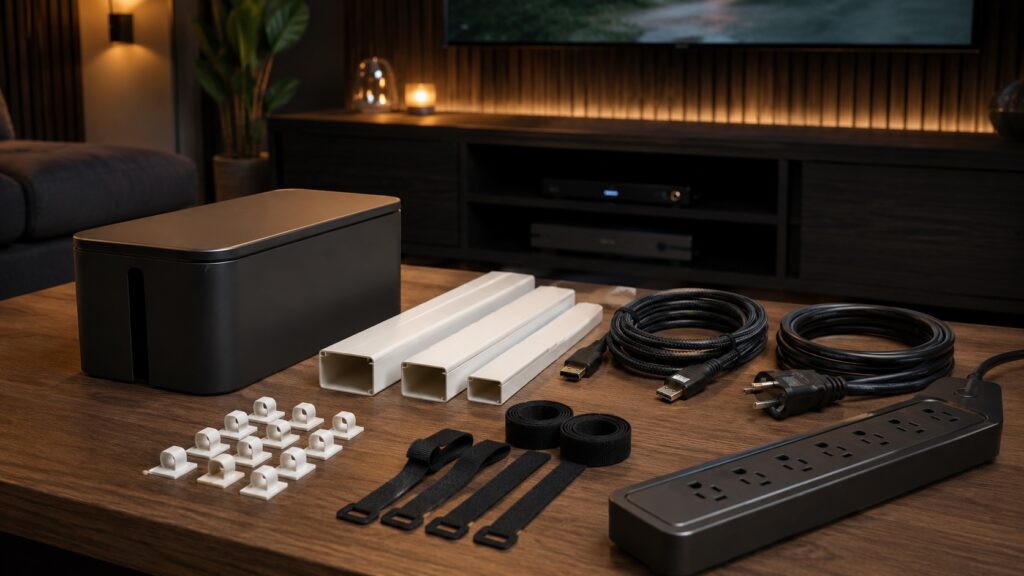
A few simple cable organization products can make your home theater look much cleaner. A cable management box helps hide power strips and extra cord length, a paintable cable raceway can hide cords along the wall, and reusable cable ties keep wires grouped behind your media console.
- Cable Management Box — best for hiding power strips and extra cord length
- Paintable Cable Raceway — best for hiding cords along walls
- Reusable Cable Ties — best for grouping cables behind a media console
For more detailed ideas, see my guide to Hidden Cable Management Ideas for a Clean Home Theater.
Create One Equipment Zone
Every home theater needs one central location for equipment. This is where your streaming devices, gaming consoles, controllers, chargers, sound equipment, remotes, and media accessories should live.
Your equipment zone could be:
- A media console
- A cabinet under the TV
- A shelving unit
- A side table with storage
- A nearby closet
- A small AV rack
Try not to scatter equipment around the room. When everything has one home, the space is easier to reset after movie night.
If your home theater also has gaming equipment, keep controllers, headsets, and chargers together in one drawer, basket, or charging station.
Arrange Seating for Comfort and Flow
Seating is one of the most important parts of home theater organization. A room can have a great screen and sound system, but if people feel cramped or there is nowhere to set drinks, the experience can feel awkward.
Start with clear walking paths. People should be able to move through the room without stepping over cords, blankets, snack trays, or bags.
Good seating organization includes:
- Clear paths to each seat
- Enough room for recliners to extend
- Side tables or trays for drinks
- Easy access to blankets
- A nearby place for remotes and small accessories
- Comfortable viewing angles
- Speakers that are not blocked by furniture
If your seating does not have built-in cup holders or storage, a sofa arm tray or cup holder tray can make the setup more practical.
Helpful Amazon searches for seating organization
Small seating accessories can make your home theater easier to use without adding clutter. A side table gives guests a place for drinks and snacks, while a sofa arm tray can be helpful in smaller rooms where there is not enough space for extra furniture.
- Small Side Table — best for drinks, remotes, and snacks near seating
- Sofa Arm Tray — best for adding a small surface without extra furniture
- Cup Holder Tray — best for keeping drinks more secure during movie night
For more ideas, see my guide to Home Theater Seating Accessories You Didn’t Know You Needed.
You can also read my guide to Choosing the Perfect Seating Layout if you are still arranging your room.
Add Storage for Blankets and Pillows
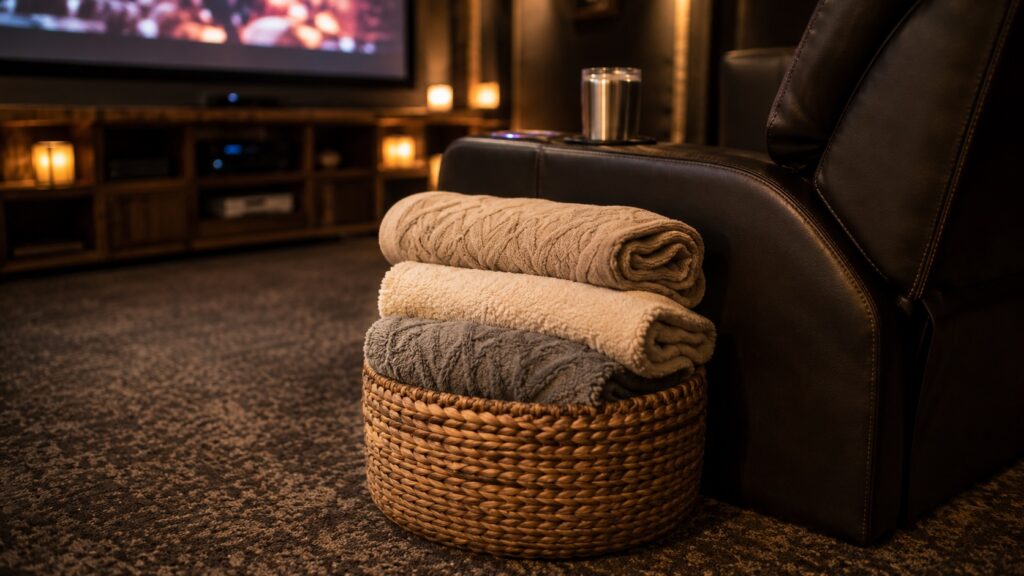
Blankets and pillows make a home theater feel cozy, but they can quickly make the room look messy. Instead of leaving them on every seat or piling them in a corner, give them a dedicated place.
Good blanket storage options include:
- A large woven basket
- A storage ottoman
- A bench with hidden storage
- Decorative bins
- Built-in cabinets
- Wall hooks for throws
If your room is smaller, a storage ottoman can be especially useful because it can work as a footrest, small table, and hidden storage space.
Helpful Amazon searches for home theater storage
A few simple storage pieces can keep blankets, remotes, and small accessories from piling up around the room.
- Remote Control Organizer — best for keeping remotes in one place
- Large Blanket Basket — best for storing throws and pillows
- Storage Ottoman — best for small rooms that need hidden storage
Organize Snacks and Movie Night Essentials
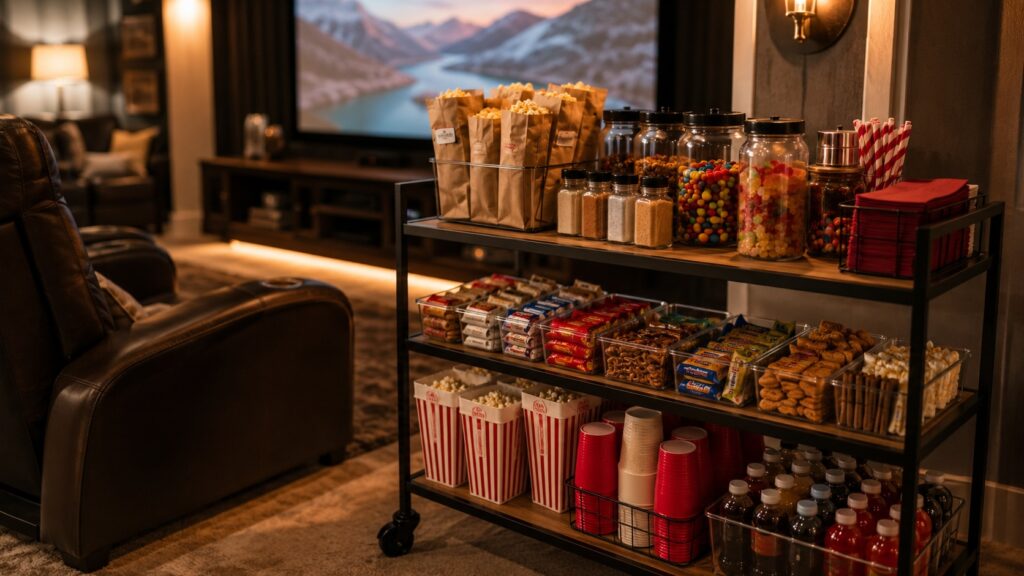
Snacks are part of the fun, but they need a home too. Instead of keeping popcorn supplies, candy, napkins, cups, and trays scattered across the kitchen and theater room, create one small movie-night station.
This could be:
- A rolling snack cart
- A cabinet shelf
- A media console drawer
- A small concession table
- A pantry bin labeled for movie night
Useful movie-night essentials include:
- Popcorn kernels or packets
- Popcorn seasonings
- Candy
- Napkins
- Paper trays
- Popcorn buckets
- Drink cups
- Straws
- Wet wipes
- Coasters
If you have a popcorn machine, keep kernels, oil, seasonings, popcorn bags, scoops, measuring cups, and cleaning cloths together in the same cart, bin, or cabinet shelf. This keeps movie-night supplies easy to find and makes cleanup faster.
Helpful Amazon searches for movie-night organization
Keeping snacks and movie-night supplies together makes the room easier to use and easier to clean up. A rolling snack cart works well if you want everything in one movable station, while organizer bins are helpful for popcorn supplies, candy, napkins, cups, and small extras.
- Snack Cart — best for keeping snacks and supplies together
- Snack Organizer Bin — best for popcorn supplies, candy, napkins, and cups
- Popcorn Buckets — best for a more theater-style movie night
If popcorn is part of your setup, see my guide to the Best Popcorn Machines for Home Theaters. You may also like my guide to DIY Snack Stations for Home Theaters for more concession-style ideas.
Make Lighting Easy to Control
Lighting has a big impact on how organized and comfortable a home theater feels. If the room only has one bright overhead light, it can feel harsh. If the lighting is too complicated, people may not use it.
A good home theater lighting setup should be simple to control and easy to adjust before a movie starts. Instead of adding too many lamps or switches, focus on a few useful layers:
- Dimmable overhead lights
- Soft wall lighting
- LED backlighting
- Step or floor lighting
- Smart bulbs or smart plugs
For an easy upgrade, LED TV backlights can enhance the atmosphere and make the screen area feel more finished without adding clutter.
For more ideas, read my guide to Decorative Lighting Accessories for Home Theaters.
You can also read my guide to Layering Lighting in a Home Theater for a more complete lighting plan.
Create Simple Zones in the Room
A well-organized home theater usually has simple zones. Even in a small room, zones help everything feel intentional because each item has a place.
Useful home theater zones include:
- Viewing zone
- Snack zone
- Equipment zone
- Remote zone
- Blanket and pillow zone
- Charging zone
- Game or media zone
- Cleaning zone
This does not mean you need a large room. A side table can be the remote zone. A basket can be the blanket zone. A cabinet shelf can be the snack zone. The more clearly each item has a home, the easier the room is to maintain.
If your space feels cluttered or awkward, you may also want to review my guide to Home Theater Mistakes to Avoid.
Store Small Accessories in Bins or Drawers
Small accessories are often what make a room feel messy. Extra HDMI cables, batteries, chargers, remotes, screen wipes, 3D glasses, manuals, and adapters can quickly become a tangled mess.
Use bins, baskets, or drawer organizers for:
- Batteries
- HDMI cables
- Charging cords
- Microfiber cloths
- Remote manuals
- Speaker accessories
- Projector accessories
- Extra adapters
Clear bins or drawer dividers can be useful, but you do not need to overbuy. Start with the small accessories that are already creating clutter, then add storage only where you actually need it.
Keep Sound Equipment Organized
Sound equipment can also affect how organized the room feels. Speakers, wires, stands, and acoustic panels should look intentional instead of randomly placed.
If you have surround sound, make sure speaker wires are secured, and speakers are positioned where they make sense for the room. Avoid placing baskets, tables, or decor directly in front of the speakers.
For more help with audio layout, see my guide to Speaker Placement Tips for a Home Theater vs. a Family Living Room.
If you are working on sound quality, you may also like my guide to Acoustic Panels vs. Soundproofing for Home Theaters.
Keep the Floor Clear
A home theater floor should stay as clear as possible, especially because the room is often dark during movies.
Try to avoid leaving:
- Cords across walkways
- Blankets on the floor
- Snack trays near walking paths
- Gaming controllers underfoot
- Shoes or bags in the seating area
- Loose pillows where people walk
If your home theater is also a family room, keep a simple reset basket nearby. Anything that does not belong can go into the basket at the end of the night and be put away later.
A clear floor makes the space safer, cleaner, and more relaxing.
Create a Five-Minute Reset Routine
The best organization system is one you can actually maintain. After movie night, the room should be easy to reset in a few minutes.
A simple reset routine could look like this:
- Throw away trash
- Put remotes back in their organizer
- Return blankets to the basket
- Put snack supplies back on the cart or shelf
- Wipe tables
- Check the floor for popcorn
- Turn off lights and equipment
If the reset takes too long, the system may be too complicated. Keep your organization simple enough that the room can be cleaned up quickly after every movie night.
Frequently Asked Questions
How do I organize a home theater without making it feel cluttered?
Start by grouping similar items together. Keep remotes, blankets, snacks, cables, and media accessories in designated baskets, drawers, cabinets, or containers. Closed storage is especially helpful for hiding items you do not want on display.
What is the best way to organize home theater cables?
Use cable ties, labels, cord sleeves, raceways, or cable-management boxes to keep wires separated and easy to identify. Leave enough space around equipment for airflow, and avoid tightly bundling power cables with speaker or signal cables.
Where should I store home theater remotes?
Keep remotes in one consistent location, such as a small tray, organizer, drawer, or storage compartment beside the seating. A designated remote holder makes them easier to find and prevents them from getting lost between cushions.
How can I store blankets in a home theater?
A large basket, storage ottoman, or cabinet near the seating works well for blankets and pillows. Choose storage that is easy to reach but does not block walkways or make the room feel crowded.
How do I organize snacks in a home theater?
Use clear containers, labeled bins, baskets, or a rolling snack cart to keep treats easy to see and refill. Store extra supplies separately so the visible snack area stays neat instead of overcrowded.
How often should I reorganize my home theater?
Do a quick reset after movie nights and a more thorough review every few months. Remove unused accessories, replace expired snacks, check cable labels, and return frequently used items to their designated storage areas.
More Home Theater Ideas
- Hidden Cable Management Ideas for a Clean Home Theater
- Home Theater Seating Accessories You Didn’t Know You Needed
- Best Popcorn Machines for Home Theaters
- DIY Snack Stations for Home Theaters
- Top Decorative Lighting Accessories for Home Theaters
- Home Theater Mistakes to Avoid
Final Thoughts
Organizing a home theater does not have to be complicated. Small changes like hiding visible cords, creating a remote-control spot, adding storage for blankets, and keeping snacks together can make the entire room feel cleaner and more enjoyable.
The goal is to make the space easy to use before, during, and after movie night. When every item has a place, your home theater feels more comfortable, polished, and ready whenever you want to relax.
Start with one simple upgrade today, such as hiding visible cords, adding a remote organizer, or creating a blanket basket. Even one small fix can make your home theater feel easier to enjoy.

Lisa is the creator of Home Cinema Living. Together with her husband, a longtime home theater professional, she has spent years designing and enjoying home theater spaces that bring family and friends together for memorable movie nights.